Designing Frictionless Timesheets: How UX, Automation, and Integrations Solve Today’s Biggest Time Tracking Problems
Most timesheet platforms are technically modern but practically painful. Discover how better UX design, smart automation, and deep integrations can fix accuracy, compliance, and adoption problems at the source.
Designing Frictionless Timesheets: How UX, Automation, and Integrations Solve Today’s Biggest Time Tracking Problems
The journey from paper timesheets to spreadsheets to cloud platforms promised effortless time tracking. Yet many organizations still face the same old problems:
- People forget to log time
- Entries are inaccurate or incomplete
- Compliance rules are applied manually
- Reports are late, unreliable, or ignored
The missing ingredient? Frictionless design.
This article focuses on the practical product and process design choices that make or break timesheet management today: UX, automation, and integrations.

1. Why “Modern” Timesheet Tools Still Fail
Having a cloud platform doesn’t automatically mean your timesheet process is modern.
Most current systems are:
- Policy-first, user-last – they embed rules but ignore day-to-day workflows.
- Siloed from how and where work actually happens.
- Over-configured with hundreds of projects, tasks, and codes that no one understands.
The real-world consequences
- Low adoption: People avoid the system until the last minute.
- Inaccurate data: End-of-week reconstruction leads to guesswork.
- Compliance risk: Manual overtime and break calculations create hidden liabilities.
2. The UX Layer: Design Timesheets for Real Humans
User experience is the front line of timesheet success. Poor UX guarantees bad data.
2.1 Map actual workflows, not assumed ones
Before designing screens, answer:
- Where is work planned? (Jira, Asana, Monday, CRM?)
- Where do people spend their day? (Email, IDE, Figma, field, factory?)
- When do they naturally have a moment to log time?
Then design your flows to fit into those micro-moments.
2.2 Key UX principles for time entry
-
Minimize clicks and decisions
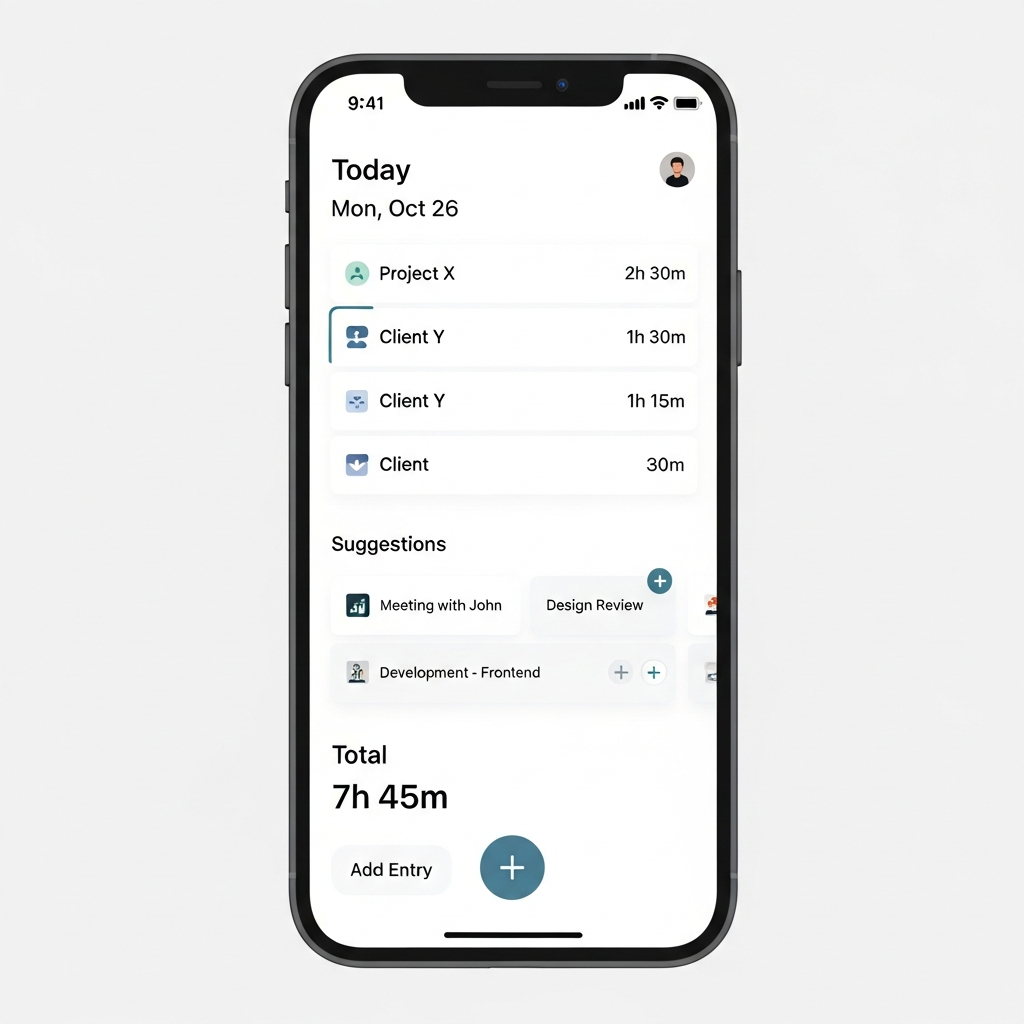
- Show yesterday’s tasks as suggestions.
- Allow quick duplication of similar days.
-
Design for small screens first
- Many staff will log from phones; start with mobile UX and scale up.
-
Use plain language, not HR jargon
- Replace
Cost CenterwithTeamin labels if that’s what people say out loud.
- Replace
-
Give immediate feedback
- Visual daily total bar.
- Clear error hints: “You logged 9 hours. Is overtime expected today?”
Good microcopy examples:
- "Looks like you usually log 6h on Project X on Mondays. Add that?"
- "You have 3h unassigned today. Need help finding the right project?"
- "Reminder: Breaks over 30 minutes must be logged as non-working time."
3. Automation: Let Systems Handle the Boring Parts
If humans must remember everything, your process will always be fragile.
3.1 Smart reminders vs nagging notifications
Most tools blast generic emails like "Submit your timesheet". People ignore them.
Instead, use contextual, targeted nudges:
- Daily reminder only if:
- No entries logged by 3 PM, and
- It’s a scheduled working day for that person.
- Weekly reminder only if:
- Week is incomplete at 4 PM Friday.
Example reminder logic (pseudo):

IF (today_is_workday) AND (total_hours_today < threshold)
  SEND "Quick check: have you logged today’s work?"

IF (friday_16_00) AND (week_completion < 80%)
  SEND "Your timesheet is 80% done. 2 days are missing entries."
3.2 Automate recurring patterns
- Schedule templates for people with stable weeks (e.g., 50% Project A, 50% Support).
- Auto-suggest tasks based on calendar meetings or assigned tickets.
- Auto-populate public holidays and non-working days.
Automation should suggest, not silently fill in, to preserve accuracy and trust.
3.3 Policy and compliance automation
Manual interpretation of rules is error-prone. Instead, encode them:
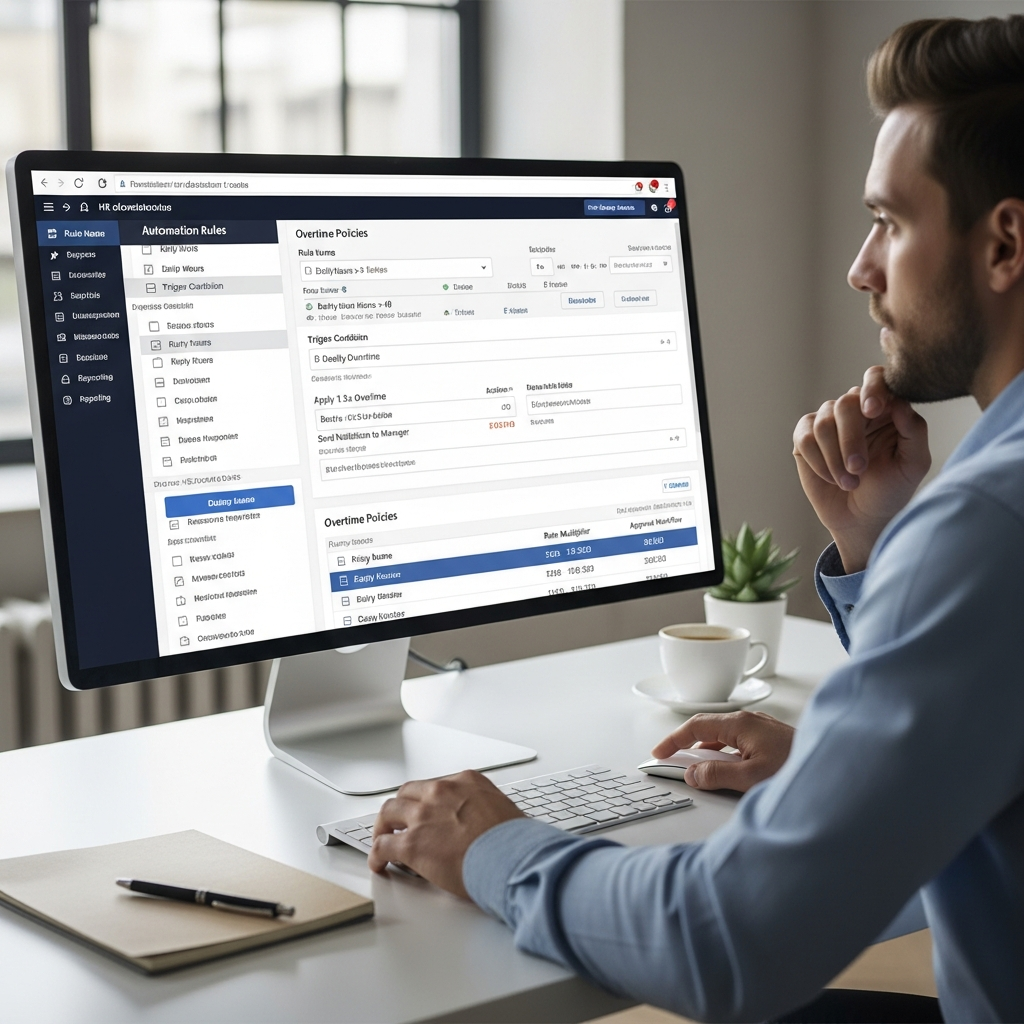
- Overtime thresholds by role/location.
- Max consecutive working days.
- Mandatory breaks after X hours.
4. Integrations: Make Timesheets Disappear into the Workflow
The more your timesheet system is separate from everyday tools, the worse your data will be.
4.1 Integrate with planning and execution tools
Common high-value integrations:
- Project management (Jira, Asana, Trello, Monday)
- CRM (Salesforce, HubSpot, Dynamics) for client-related work
- Development tools (GitHub, GitLab, Azure DevOps) for engineers
- Calendars (Google, Outlook) for meeting-based roles
Example: Jira integration flow
- Tasks and epics sync to timesheet system.
- User sees "My Jira issues" in the time entry screen.
- When work is logged in Jira (e.g., worklog), it appears as a draft timesheet entry.
- User confirms, adjusts time, and submits.
4.2 Single source of truth for projects and clients
Avoid recreating project lists manually. Instead:
- Treat your project/ERP/CRM as the master for clients/projects.
- Let timesheets subscribe to that list via API.
- Archive closed projects automatically so they don’t clutter dropdowns.
4.3 API-first for custom workflows
An API-first timesheet platform allows:
- Custom in-house apps (e.g., field service tablets) to write time directly.
- Automatic corrections when source systems change (e.g., project reassigned).
- Real-time dashboards across multiple data sources.
5. Solving Accuracy, Compliance, and Adoption by Design
Let’s connect the dots between UX, automation, integrations and the three classic challenges.
5.1 Accuracy by design
- UX: Clear daily totals, intuitive categories, smart suggestions.
- Automation: Draft entries from calendars, tickets, or recurring patterns.
- Integrations: Pull real tasks from project tools instead of free-text descriptions.
Result: Less guesswork, more grounded-in-reality entries.
5.2 Compliance by design
- UX: Inline guidance: “This entry exceeds your daily cap; manager review required.”
- Automation: Embedded overtime rules, break validations, holiday calendars.
- Integrations: HR and payroll sync to ensure classifications and schedules are correct.
Result: Fewer manual corrections and lower legal risk.
5.3 Adoption by design
- UX: Easy, fast, mobile-friendly entry.
- Automation: Smart reminders instead of last-minute chaos.
- Integrations: Logging time where work already happens.
Result: Higher completion rates and less change fatigue.
6. Implementation Blueprint: From Clunky to Frictionless in 4 Phases
Here’s a practical roadmap you can adapt.
Phase 1: Discovery (2–4 weeks)
- Interview users from different roles and locations.
- Audit:
- Current entry screens
- Reminder patterns
- Integrations and data flows
- Identify top 5 friction points.
Phase 2: Design (2–6 weeks)
- Create wireframes for:
- Daily time entry (desktop + mobile)
- Manager approvals
- Define automation rules in a simple spec:
Rule Spec Example:
- Workdays: Mon–Fri for office staff; custom rosters for field teams
- Daily reminder at 15:30 if hours_logged < 4
- Weekly reminder Friday 16:00 if week_completion < 90%
- Overtime flag if hours_per_day > 8 (US) or 7.5 (EU)
- Prioritize 2–3 key integrations for a pilot.
Phase 3: Pilot (4–8 weeks)
- Run a controlled rollout with one department or region.
- Track:
- Submission on-time rate
- Average time-to-complete per day
- Number of policy exceptions
- Collect qualitative feedback: what users like and what still hurts.
Phase 4: Scale and optimize (ongoing)
- Roll out to more teams, adjusting rules as needed.
- Start building analytics and dashboards to leverage the improved data.
- Review automation rules quarterly to reflect new policies or patterns.
7. Common Pitfalls to Avoid
-
Over-automation
Systems silently logging time without user confirmation can erode trust. -
One-size-fits-all UX
Frontline workers, developers, and consultants have different workflows. -
Ignoring managers
Manager approval screens also need good UX, or approvals become rubber stamps. -
No change communication
Even good changes fail if people don’t know why they’re happening.
8. Example Architecture: A Connected, Frictionless Stack
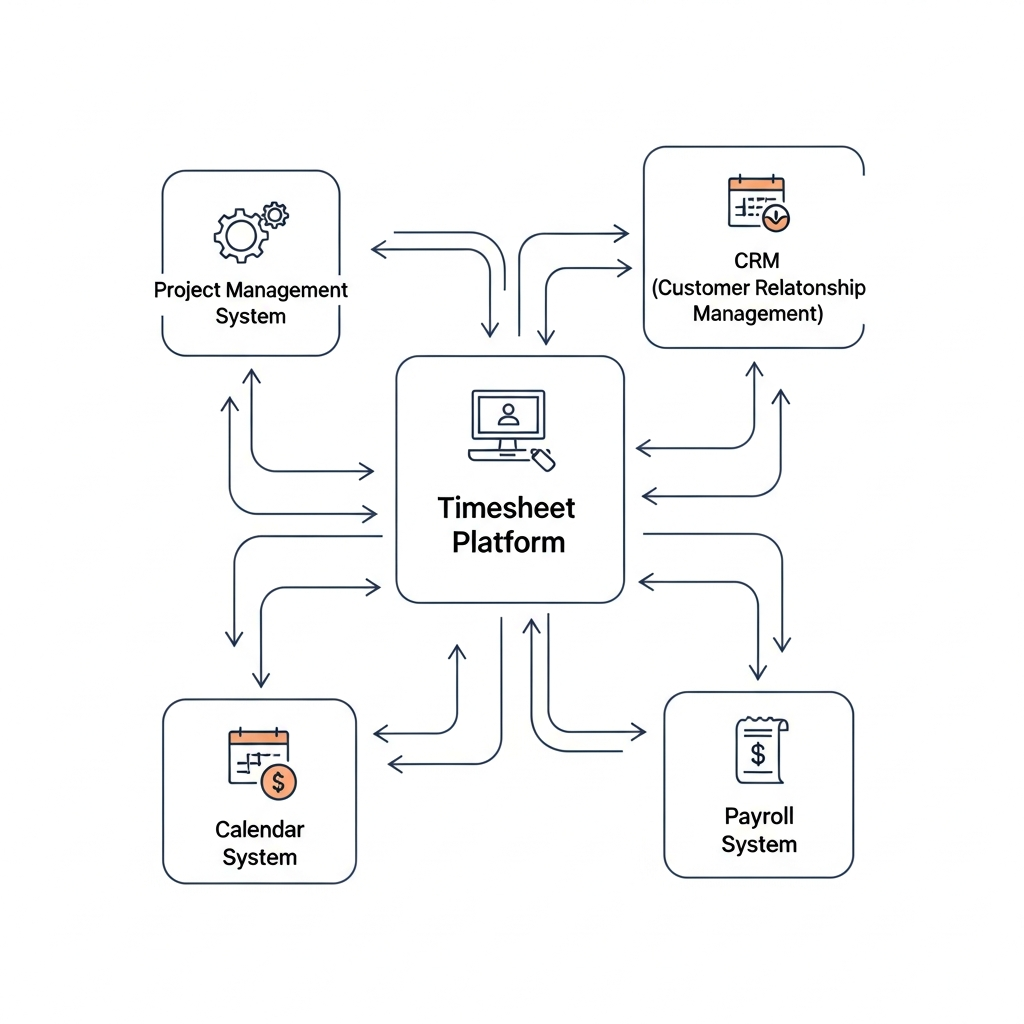
Here’s a simple conceptual setup for a 300-person services company:
[Project Tool]  [CRM]  [Calendar]
      \         |        /
       \        |       /
        --> [Timesheet Platform] --> [Payroll]
                      |              [Billing]
                      v              [BI/Analytics]
                  [Compliance Engine]
- Tasks flow in from project tools.
- Client and contract rules flow in from CRM.
- Meetings appear as draft entries from calendars.
- Policies live in a compliance engine that the timesheet UI calls.
- Clean, validated time flows out to payroll, billing, and BI.
9. Final Thoughts: Make Timesheets Almost Invisible
The future of timesheet management isn’t about more fields or stricter controls. It’s about making time capture so embedded, intelligent, and low-friction that it becomes almost invisible.
By combining:
- Thoughtful UX design
- Targeted automation
- Deep integrations with the tools your teams already use
…you can turn timesheets from a chronic pain point into a quietly powerful engine for insight, compliance, and smarter planning.
Start small: fix the one part of the experience your people complain about most. Every reduction in friction translates directly into better data and better decisions.
https://timesheet-tracking.com
Cappsule Sarl Quai du Mont Blanc, 7 Geneva - Switzerland