Why Your Company Needs Modern Leave Management (And How Tools Like Leavo Help)
Paper forms, scattered emails and messy spreadsheets make managing time off harder than it needs to be. Here’s a simple look at why modern leave management matters, and how platforms like leavo.com can make life easier for managers and employees alike.

Why Your Company Needs Modern Leave Management (And How Tools Like Leavo Help)
Managing time off should be boringly simple. Instead, it’s one of the most common sources of confusion in many workplaces.
In this guide, we’ll unpack what modern leave management looks like, why it matters for any organization (from small teams to larger companies), and how tools like leavo.com can help streamline the whole process.
What Is Leave Management, Really?
Leave management is just a structured way to answer a few basic questions:
- Who is off and when?
- Why are they off (vacation, sick, parental, unpaid, etc.)?
- How much leave does each person still have?
- Who approved it, and is it in line with company policy?
When this isn’t handled well, you get:
- Clashing holidays
- Overloaded team members
- Payroll mistakes
- Frustrated employees who feel treated unfairly

The Problem With Old-School Leave Tracking
A surprising number of companies still rely on:
- Spreadsheets that only one person knows how to use
- Email chains where approvals get buried
- Paper forms sitting in a drawer somewhere
This creates several predictable problems:
1. No Single Source of Truth
Is the master record in HR’s spreadsheet, the manager’s notebook, or that email from three months ago?
"I thought you approved this in March."
"No, I only said I’d check the schedule."
Misunderstandings like this aren’t about bad intentions—they’re about bad systems.
2. Hidden Workload Issues
If you can’t quickly see who’s off when, you risk:
- Too many people away at the same time
- Peak periods with not enough coverage
- Burnout for the people who are always covering gaps
3. Policy Confusion
Different teams often interpret leave policies in their own way. Without a consistent, visible system:
- Some people get approvals that others don’t
- HR spends time correcting errors and calming nerves
- Trust in the system slowly erodes
What Modern Leave Management Looks Like
Modern leave management tools bring everything into one place. Platforms like leavo.com focus on making leave management simple, visible, and fair.
A good digital leave system typically offers:
1. Self-Service for Employees
Employees can:
- See how much leave they have left
- Request time off in a couple of clicks
- Check if anyone else in their team is off at the same time
2. Simple Approvals for Managers
Managers get:
- A clean dashboard of pending requests
- Team calendars so they can spot clashes
- A record of who approved what, and when
3. Clear Policies, Built-In
Modern tools help bring company rules into the flow:
- Maximum days off in a period
- Required notice periods
- Blackout dates or busy seasons
Instead of managers memorizing the handbook, the system gently enforces the rules.
How Tools Like Leavo.com Fit In
While every platform is different, services like leavo.com are built specifically to solve these pain points.
Some common benefits a tool like this aims to provide:
1. Centralized Time-Off Information
All leave data sits in one system:
- Balances
- Types of leave
- Approvals
- Audit trails
This reduces:
- Conflicting records
- "Who changed this?" arguments
- Time spent reconciling data across emails and files
2. Better Planning for Teams
With clear visibility into who is off when, teams can:
- Plan projects around known absences
- Avoid approving too many people off at once
- Coordinate across departments
Leavo-style platforms often provide shared calendars and views filtered by team or department, making it far easier to plan ahead.
3. Less Admin, More Actual Work
When leave management is automated:
- HR teams don’t manually update spreadsheets
- Managers don’t chase paper forms
- Employees don’t send repeated “Just checking on my request” emails
That time goes back into meaningful work.
A Simple Workflow Example
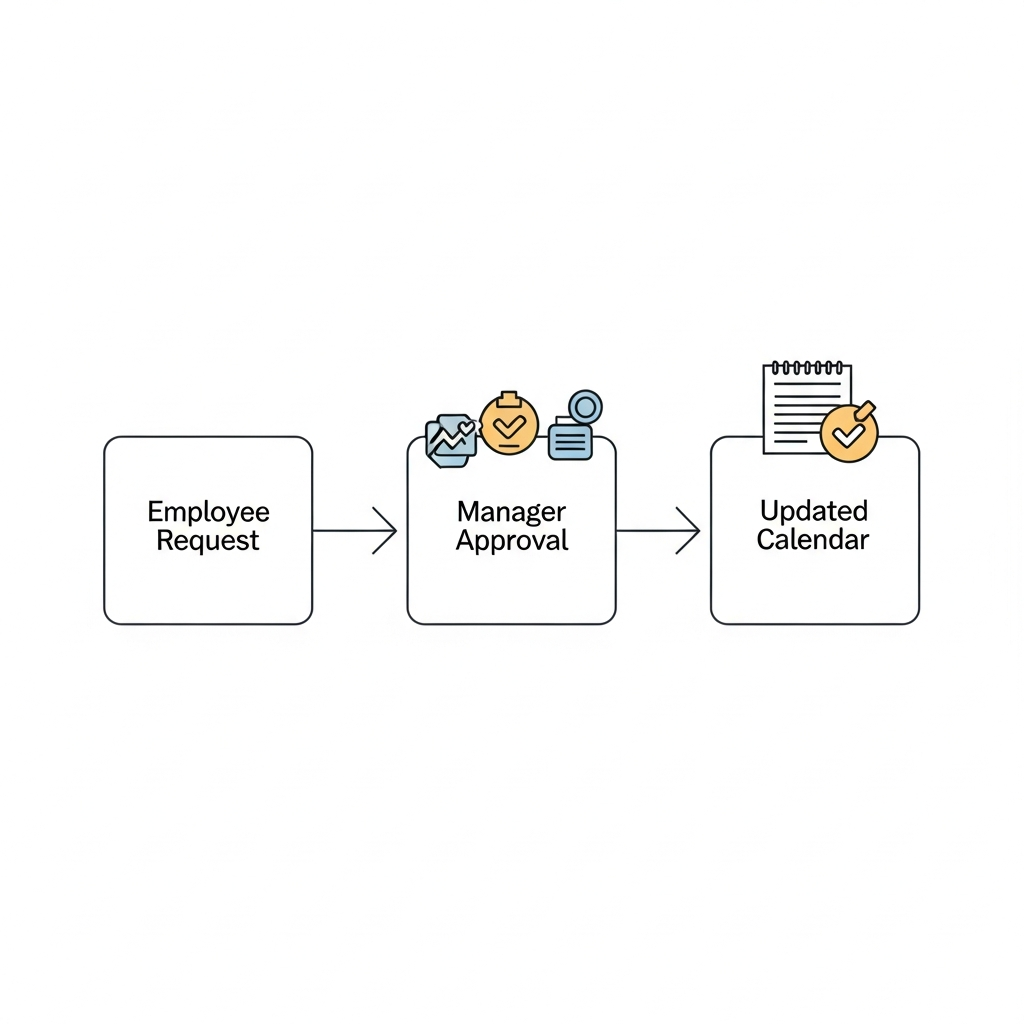
Here’s how a typical flow might look in a tool like leavo.com:
1. Employee logs in and opens the leave calendar.
2. They pick their dates, choose a leave type (vacation, sick, etc.), and submit.
3. Their manager gets a notification, checks the team calendar, and approves or declines.
4. The system updates the employee’s balance and team calendar automatically.
5. HR can export data later for payroll, reporting and audit.
No double-entry. No misplaced forms. No guessing.
What To Look For in a Leave Management Tool
If you’re considering something like leavo.com, keep an eye out for:
1. Ease of Use
- Can a non-technical person figure it out quickly?
- Is the interface clean, or cluttered with extra features?
2. Clear Calendars
- Team and company-wide views
- Filters by location, department, or role
- Good mobile experience
3. Policy Support
- Different leave types (vacation, sick, parental, etc.)
- Custom rules for different regions or teams
4. Helpful Reporting
- How much leave is taken by team or month
- Upcoming busy leave periods
These insights help leaders plan ahead instead of constantly reacting.
Getting Started Without Overcomplicating Things
You don’t have to overhaul your entire HR setup overnight. A practical path might look like this:
The Bottom Line
Modern leave management is less about fancy technology and more about reducing friction:
- Employees know where they stand
- Managers make faster, fairer decisions
- HR isn’t buried in manual updates
Whether you explore leavo.com or another platform, the goal is the same: a clear, consistent, and human-friendly way to handle time off.